


|
Graphic tools |
Text tools |
|
Databases |
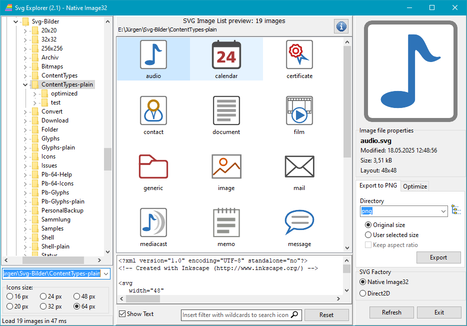
The Delphi program package SVGIconImageList contains, among other things, a demo program for displaying SVG graphics in the manner of an explorer. This version 2.0 contains some improvements and enhancements:
Languages: German, English, French, Italian and Spanish
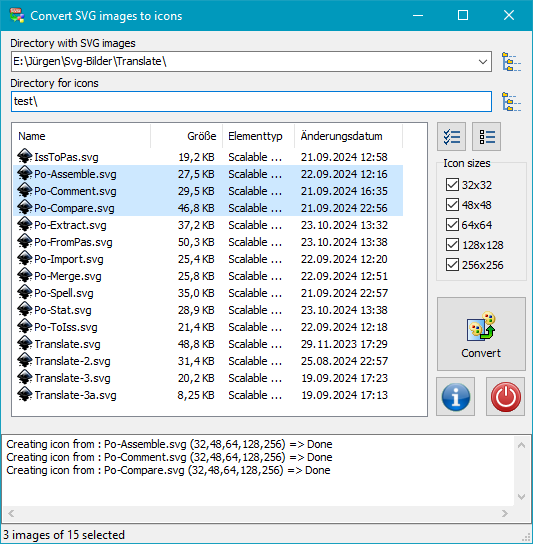
In Windows, each application is assigned an icon that is displayed on the desktop, in the Start menu or in the Explorer, representing the respective program. program to the user. An icon can contain images in different sizes. Windows automatically selects the best suitable size for the current display mode. Common sizes are 32x32, 64x64, 128x128 and 256x256 pixels.
To avoid having to create a separate image for each size required, it is advisable to first create a graphic in scalable vector format (SVG). The Inkscape program, for example, is suitable for this. PNG images of any size can then be easily created from a graphic created in this way. Inkscape has a built-in export function for this purpose. However, this requires some manual work if you want to do it directly from the drawing program. The PNG images created in this way must then be converted into an icon (ICO format) using a suitable conversion program.
The programs provided here simplify this process:
Languages: German and English
Many text files, such as those created with Notepad or PsPad, are
usually saved in the ANSI format (ISO_8859-1)
commonly used in Western Europe. This means that you are limited to the characters
contained in this character set (e.g. umlauts commonly used in Germany or French accented vowels).
Windows itself supports the Unicode character set,
which contains practically all existing characters worldwide.
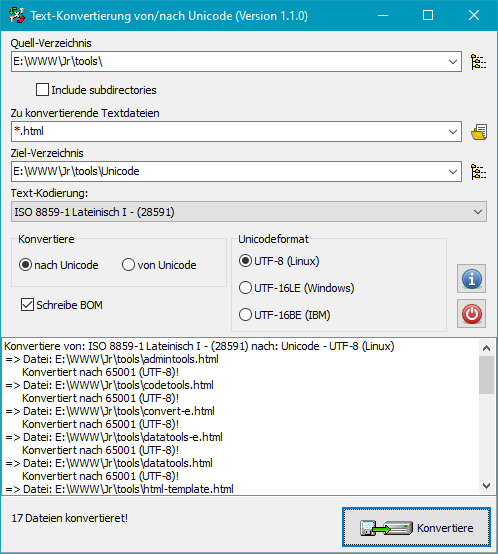
The program offered here for download allows existing text files in ANSI format
(or another ISO-8859 format, such as Greek or Eastern European) to be converted
to Unicode format. You can choose between the 16-bit format (UTF-16, common under Windows)
and the 8-bit format (UTF-8, common under Linux). Conversion in the reverse direction
is also offered, although there are restrictions as the target format to be selected
does not support all possible characters.
The program package also contains two console programs for checking the integrity of UTF-8 text files and for batch converting texts in ANSI code to UTF-8.
Languages: German and English
Paradox was a widely used database system that could be accessed via the
Borland Database Engine (BDE). However, the BDE has not been developed further for many
years. If you still have old databases of this type
and want to convert them to a newer format, you can do so with the
conversion program provided here. However, this requires
the BDE to be installed.
To check whether the Borland Database Engine is installed, you can use the
enclosed program BdeCheck.exe. It shows whether and
which version of BDE is present.
If it is missing, it must be installed. To do this,
download the file BDE.EXE (Borland Database Engine Vers. 5.11)
from this page (see below). Then start the file BDEADMIN.exe
as administrator and specify the path for the configuration file
Pdoxusrs.net under Configuration - Drivers - Native - PARADOX,
e.g., C:\Paradox. It is important that all users
have write access to this directory. This may need to be set up manually in Explorer
by right-clicking on the directory - Properties - Security.
 Zip archive with conversion program and BDE check (1,29 MB)
|
|
|
Borland Database Engine (5,32 MB)
|
|